Preserve conflicting references
Different Articles stay separate. One supporting reference does not erase another Article’s different result.
A native desktop application for reviewing invoice lines against CMS Billing & Coding Article references, keeping imported data, results, and review history inside one offline workspace.
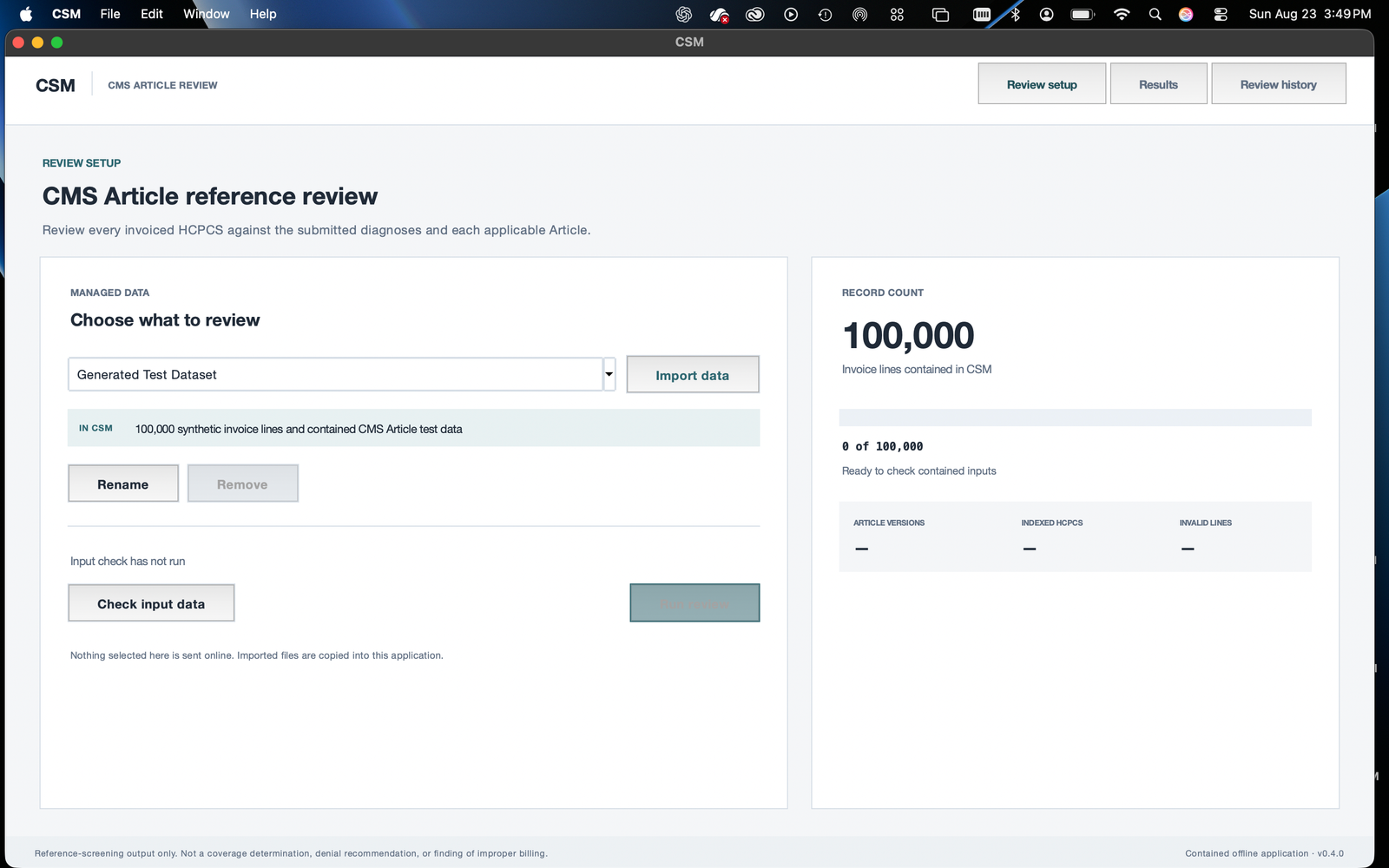
Saved native v0.4.0 screens using generated synthetic invoices and demonstration Article references. They contain no patient records. Visible run timings describe one local synthetic test, not a production benchmark.
An invoice-level answer is difficult to review if the underlying reference is hidden. The reviewer needs to know which procedure and diagnosis were compared, which Article version applied, and how the service date affected the match.
I developed CSM through project contributions to H&H Continuous Improvement & Services LLC. The goal was a contained offline workflow that keeps those relationships inspectable and lets someone work through a large result set without losing the evidence.
I built the Python prototype and helped shape it into a native application with managed datasets, searchable results, review history, and packaged delivery. I opened and tested the finished application. The screenshots demonstrate the working synthetic-data workflow; they do not establish production acceptance against a recipient’s real files.
Bring invoice CSVs and the reference tables into the application’s contained data library.
Validate the selected records and identify input problems before a review runs.
Compare procedure and diagnosis pairs against applicable Article versions, preserving Article-level results.
Search the invoice, Article, and diagnosis-pair views, then retain or export the completed review.
Actual screens, with the reasoning beside them
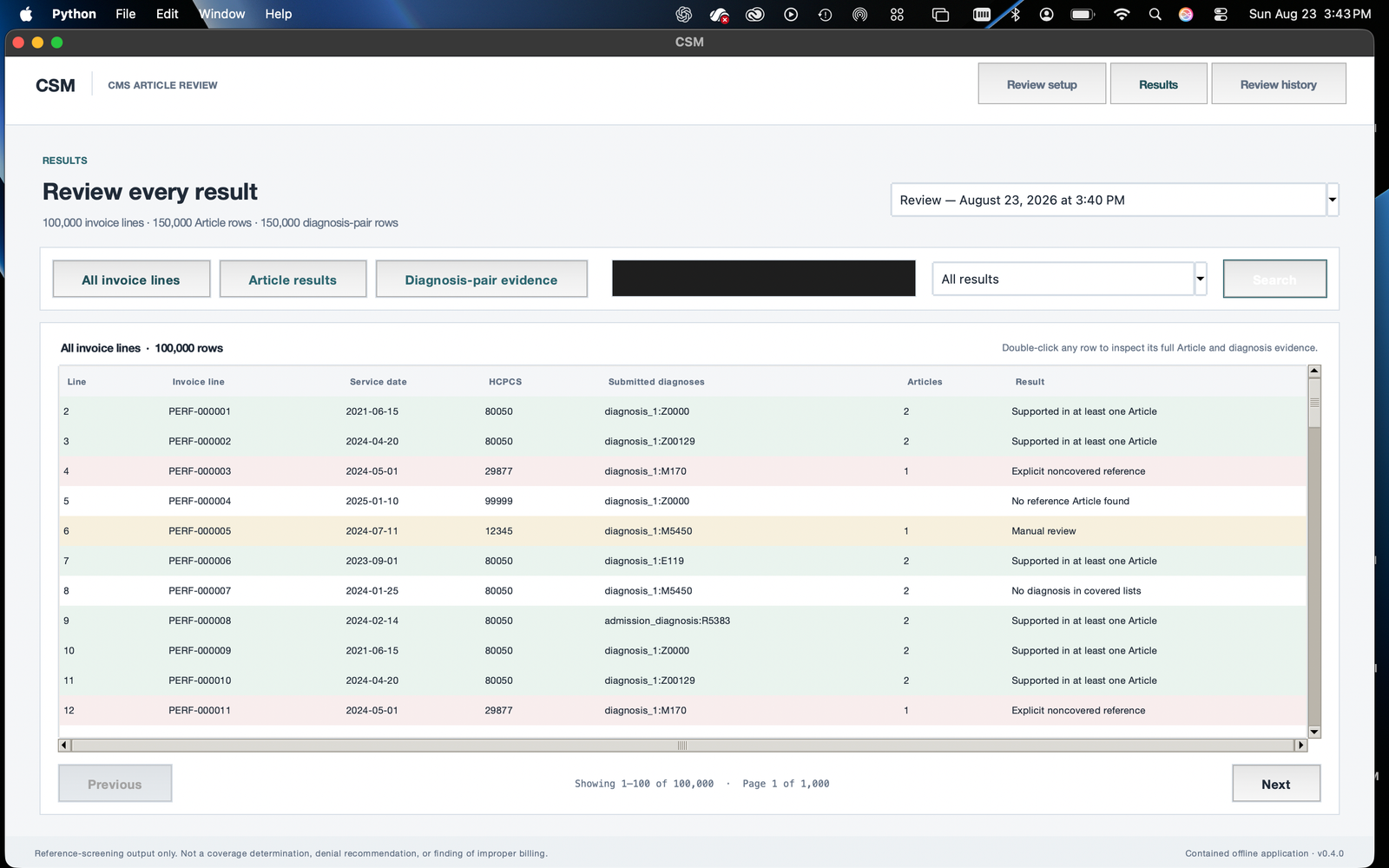
The Results view separates invoice lines, Article results, and diagnosis-pair evidence. It retains unmatched records and manual-review cases alongside supported reference matches.
In the synthetic test, 100,000 invoice lines produce 150,000 Article rows and 150,000 diagnosis-pair rows. That expansion is meaningful: an invoice can have more than one applicable reference, and the reviewer needs to see each one.
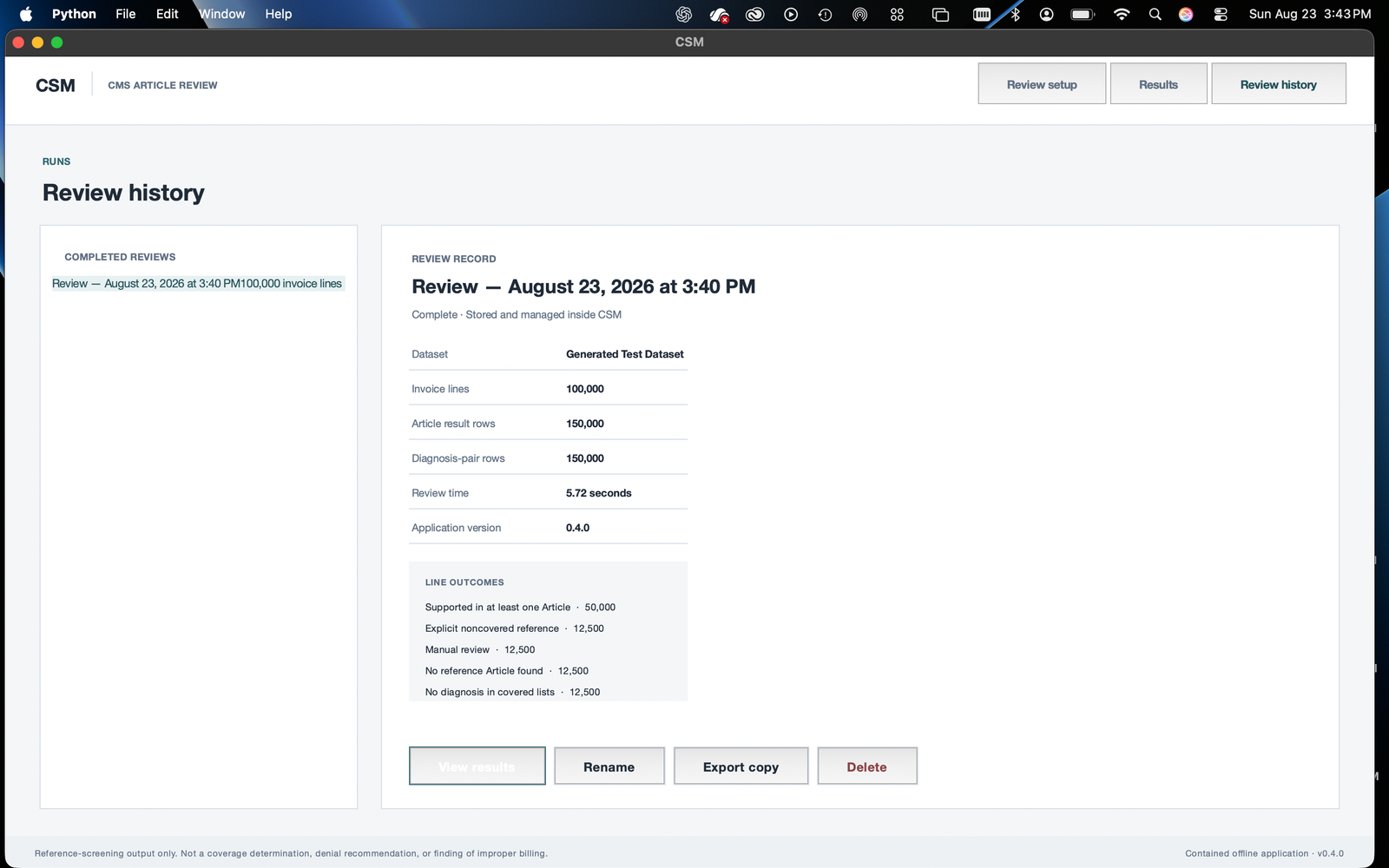
Review history keeps completed runs, their counts, and their export actions together. This makes the output something a person can return to, rather than a temporary screen that disappears after a calculation.
Moving from a local browser interface to a native application also made imports, results, and history part of one contained experience for the receiving machine.
Test invoice PERF-000001 pairs procedure 80050 with diagnosis Z00.00 for June 15, 2021. Two demonstration Articles return different reference results. CSM keeps both; the downloadable excerpts preserve the actual generated rows.
Different Articles stay separate. One supporting reference does not erase another Article’s different result.
Unclear group mappings can route to manual review instead of being forced into an unjustified yes/no answer.
Native controls and local storage keep data management and evidence browsing inside the application.
CSM is a functional v0.4.0 prototype tested with synthetic inputs. Its results are reference-screening evidence, not a coverage determination, denial recommendation, or finding of improper billing. The demonstration Articles are test references, not an official CMS extract.
Validate the recipient’s actual file mapping and workflow requirements before treating the prototype as ready for operational use.